
Chorus Wine

What it does
A drinkable large wine bottle with Teleport. vinery:teleport
Attempts a short random teleport to a nearby valid position. A safe destination is not guaranteed to be found.
Before drinking: This is not a waystone or a teleport to a chosen player.
Java and Bedrock
Java effect
Teleport
Attempts a short random teleport to a nearby valid position. A safe destination is not guaranteed to be found.
Bedrock effect
The server applies the same registered effect. Custom effect icons and visual feedback may differ from Java.
Drink or display it
- Hold the bottle and hold your use control for about 1.6 seconds: right-click on Java, or the assigned interact/use control on Bedrock.
- Drinking consumes one wine and returns a
 Wine Bottle in Survival. Wine is for its effect; this item restores no hunger.
 - To display a bottle instead, sneak and use it on a suitable surface, or put it in compatible wine storage. Avoid holding use when you only mean to place or retrieve it.
Duration and aging
This wine does not gain strength or duration from aging. Its registered teleport effect window is 0.5 seconds; it is an action, not a sustained movement buff.
Brewing equipment and ingredients
Use a  Fermentation Barrel. Make the required juice with a
  Grapevine Pot. Neither stage needs furnace fuel. A fermentation cycle takes 300 seconds at base settings.
- Juice: 8 fluid units of
 Red Taiga Grapejuice. One juice bottle supplies 25 units.
 - 1 ×
 Chorus Fruit
 - Empty container: 1 × Wine Bottle
Load the juice into the barrel’s juice input, put the listed ingredients in its three ingredient slots, and leave the output free. Add an empty bottle when required. See the barrel’s Java/Bedrock slot guide.
Drinking does not open a menu on either client. When brewing, use the corresponding barrel interface:
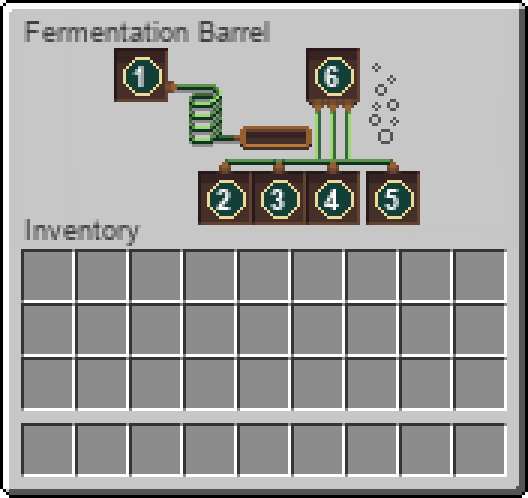
Java brewing screen
Bedrock brewing screen
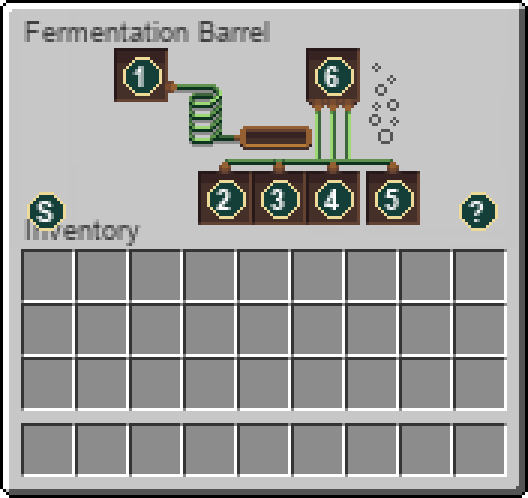
Slot guide: 1 — bottled juice; 2–4 — ingredients; 5 — empty or recovered Wine Bottle; 6 — wine output. Progress and reservoir indicators show the current process.
Full recipe below → Ingredient and equipment links include their own recipes, so you can work back to the raw materials.
Bottle storage
Large bottles fit a  Oak Wine Rack. Small-only racks and the Wine Box do not accept this size. Storage preserves the wine; it does not brew another batch.
Full brewing recipe
1 recipe in the installed content. Ingredient links show how to obtain the parts; expand a recipe for the full method.
Fermentation barrel1 × Chorus Wine · 300 seconds
Workstation: Fermentation Barrel
Ingredients
- 1 × Chorus Fruit
Container: Wine Bottle
Juice reservoir: 8 fluid units of Red Taiga Grapejuice. One juice bottle supplies 25 units; the number here is not a bottle count.
Results
- 1 × Chorus Wine
Base processing time: 300 seconds while the machine can work.
Uses the installed Vinery processing rules. Recipe data can be changed by the server.
Item properties
Stack limit64
Raritycommon
Food0 hunger points
Block hardness0.2
Item data is tied to the installed 26.3 content. Recipe availability can change with server settings or added datapacks. Data coverage and sources.