
Loom Table
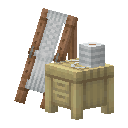
What it does
Loom Table converts supported blocks into decorative variants. In this installed port, the seven themed benches share the stonecutting conversion set; their appearance does not limit them to the original mod’s material families.
What you need
- Space for the two-block-wide bench and a supported base block or variant. No fuel or extra hand tool is consumed.
How to use it
- Place the bench with the adjoining space clear and open it.
- Put a material in the input slot and choose a design from the available results.
- Take the crafted result. One design preview is a selection button; it is not free inventory.
Java and Bedrock
Java
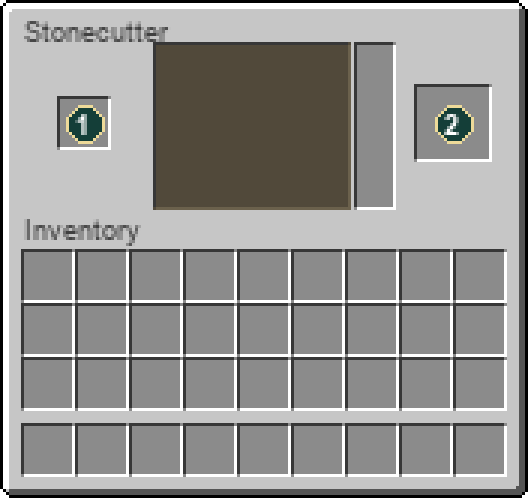
The installed Java port uses a stonecutter-style menu: add material, select a design and collect the result.
Bedrock
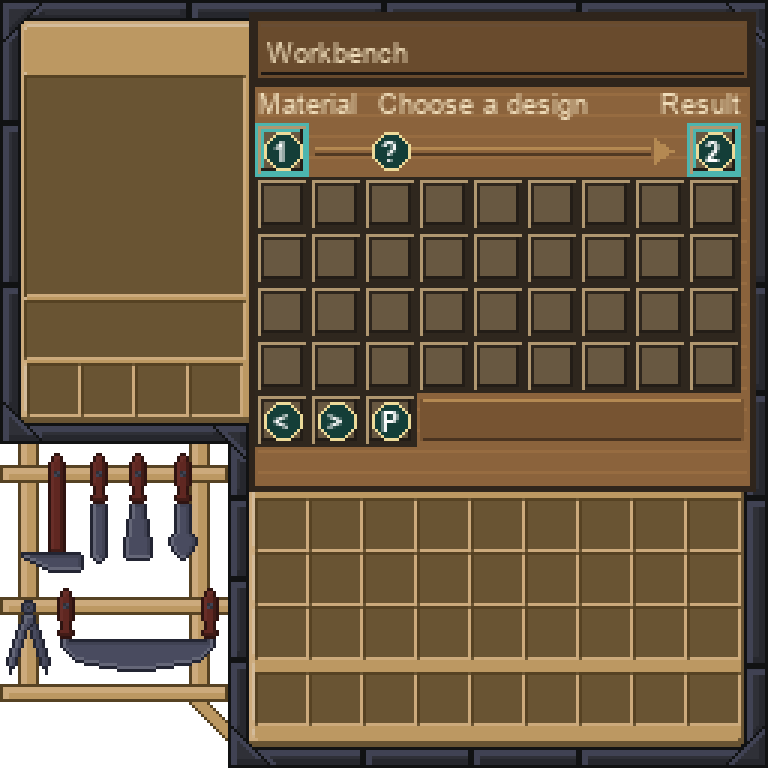
The Workbench menu has material input at the top-left, result at the top-right, and up to 36 design buttons below. Use Previous/Next to browse further designs. Help and page icons cannot be taken.
Slot guide
- Material input
- Crafted result
Not working? Check these first
- If there are no designs, check the input against a conversion recipe.
- Most variants are omitted from Bedrock’s Creative list. Crafting through the bench still provides the registered blocks.
How to craft this workstation
1 recipe in the installed content. Ingredient links show how to obtain the parts; expand a recipe for the full method.
Crafting grid1 × Loom Table
Workstation:  Crafting Table


Any means interchangeable ingredients. Select a group slot or read the ingredient list for the accepted options.
Ingredients
Results
- 1 × Loom Table
Used for
Recipes that explicitly use this item. Ingredient-group recipes can also accept it.
- Needles · Shapeless crafting
Item properties
Stack limit64
Raritycommon
Block hardness2.5
Item data is tied to the installed 26.3 content. Recipe availability can change with server settings or added datapacks. Data coverage and sources.