
Waystone

Inventory appearance: Stone Brick Wall. The full custom item ID identifies this item.
When placed
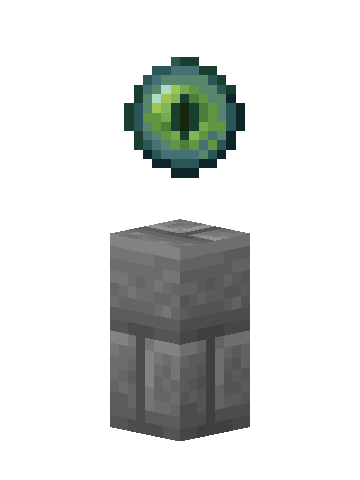
A waystone has a floating, rotating orb above its base. Before registration it uses an Ender Pearl; the default registered appearance is an Ender Eye. A destination can use a different icon when configured.
How to use it
Place it with room above for the orb. Interact with the waystone to register it or open its destination menu. Choose an available destination and check its displayed travel requirements before confirming.
On Java, right-click. On Bedrock, use your interact control. The destination list depends on which waystones you can access.
How to make or process it
1 recipe in the installed content. Ingredient links show how to obtain the parts; expand a recipe for the full method.
Crafting grid1 × Waystone
Workstation:  Crafting Table


Ingredients
- 1 × Eye of Ender
- 2 × Redstone Dust
- 1 × Stone Brick Wall
- 3 × Stone Bricks
Results
- 1 × Waystone
Item properties
Stack limit64
Rarityrare
Block hardness1.5
Item data is tied to the installed 26.3 content. Recipe availability can change with server settings or added datapacks. Data coverage and sources.