
Sifter

What it does
Sifts loose material into a random finding: seeds, useful materials, amber or fossils. Each consumed block makes one roll; the list of possible results is not a bundle of guaranteed rewards.
What you need
- A placed Sifter and gravel or a block in its accepted input group, including sand, red sand and dirt. Expand the ingredient group below for the full list.
- No fuel, powered connection, hand tool or separate mesh is needed. A cycle takes 10 seconds at normal server speed.
How to use it
- Open the Sifter and put the material in its single top input slot.
- Leave the five lower output slots available. Sifting starts automatically.
- Collect the finding after a cycle. There is a 5% no-item outcome in both installed pools; the input is still consumed.
Java and Bedrock
Java
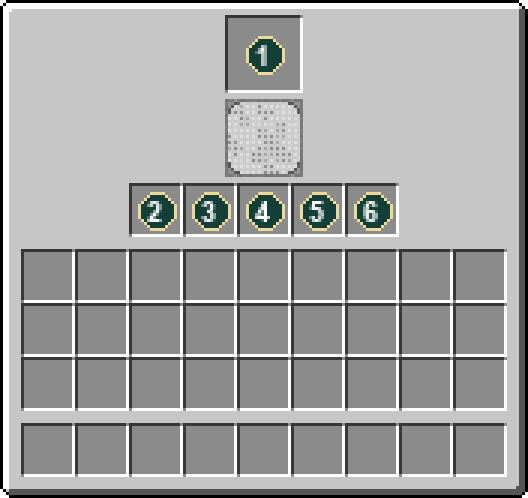
Right-click to open the native Sifter screen: one input at the top, a progress indicator, and five outputs along the bottom.
Bedrock
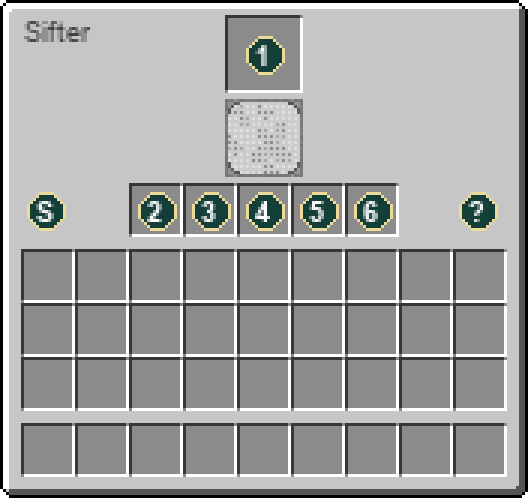
Open with your interact/use control. With the server resource pack, the Bedrock screen uses the original machine layout shown below. Select or hover the Status and Help icons for details; those icons and progress indicators are not storage slots. The same server recipes and inventory rules apply.
Slot guide
- Input: gravel or accepted loose material
- Output
- Output
- Output
- Output
- Output
Not working? Check these first
- Check that the input belongs to a listed recipe and leave output space free.
- The machine must be in a loaded, ticking area. Changing the input can reset progress.
- Keep at least one output slot empty. The Sifter checks that every possible finding can fit before it starts.
- An empty result after a completed cycle can be the normal 5% miss. It does not mean you need to click or shake the machine.
Recipes processed here
These use the workstation after you have built it. The recipe for crafting the workstation is below. Expand a processing recipe for ingredients, tools, outputs and chances.
2 processing recipes
Gravel15 possible findings · one weighted roll · 10 seconds · Sifter
Workstation: Sifter
Ingredients
- 1 ×
 Gravel
Results
- 1 ×
 Dominican Amber Chunk · 1% chance
 - 1 ×
 Beetroot Seeds · 3% chance
 - 1 ×
 Bone Meal · 20% chance
 - 1 ×
 Carrot · 10% chance
 - 1 ×
 Clay Ball · 15% chance
 - 1 ×
 Cobblestone · 5% chance
 - 1 ×
 Flint · 5% chance
 - 1 ×
 Bio Fossil · 2% chance
 - 1 ×
 Plant Fossil · 2% chance
 - 1 ×
 Gold Nugget · 4% chance
 - 1 ×
 Iron Nugget · 4% chance
 - 1 ×
 Melon Seeds · 2% chance
 - 1 ×
 Potato · 15% chance
 - 1 ×
 Pottery Shard · 5% chance
 - 1 ×
 Pumpkin Seeds · 2% chance
Chance of no item: 5%.
Base processing time: 10 seconds while the machine can work.
Weighted results are alternatives from one processing roll, not all awarded together.
sifter inputs15 possible findings · one weighted roll · 10 seconds · Sifter
Workstation: Sifter
Ingredients
Results
- 1 × Dominican Amber Chunk · 1% chance
- 1 × Beetroot Seeds · 5% chance
- 1 × Bone Meal · 20% chance
- 1 × Carrot · 15% chance
- 1 × Clay Ball · 10% chance
- 1 × Cobblestone · 5% chance
- 1 × Bio Fossil · 2% chance
- 1 × Plant Fossil · 2% chance
- 1 ×
 Fossilized Fern Spores · 1% chance
 - 1 × Gold Nugget · 3% chance
- 1 × Iron Nugget · 3% chance
- 1 × Melon Seeds · 4% chance
- 1 × Potato · 15% chance
- 1 × Pottery Shard · 5% chance
- 1 × Pumpkin Seeds · 4% chance
Chance of no item: 5%.
Base processing time: 10 seconds while the machine can work.
Weighted results are alternatives from one processing roll, not all awarded together.
Where to get it
- Block dropSifter
Break or harvest this block with the appropriate tool.
How to craft this workstation
1 recipe in the installed content. Ingredient links show how to obtain the parts; expand a recipe for the full method.
Crafting grid1 × Sifter
Workstation:  Crafting Table

Any means interchangeable ingredients. Select a group slot or read the ingredient list for the accepted options.
Ingredients
- 3 ×
 String
 - 5 × Any planks (ingredient group)
- 1 ×
 Iron Bars
Results
- 1 × Sifter
Item properties
Stack limit64
Raritycommon
Block hardness2.5
Item data is tied to the installed 26.3 content. Recipe availability can change with server settings or added datapacks. Data coverage and sources.